How to Change the Proxy Format to IP:PORT

How to Change the Proxy Format to IP:PORT

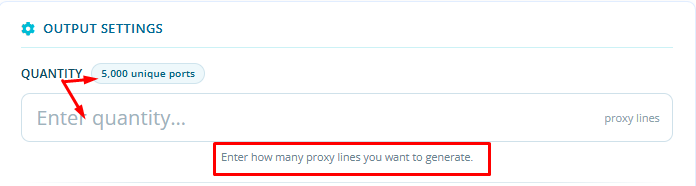
Currently, when the plan is added, it automatically comes with 5000 ports, which is the most commonly used setup.
However, if the customer wants to change the number of ports, they can do so through the Quantity field.

After that, in the Authentication Method field, select IP Authentication.

This image shows how to change the proxy format to IP:PORT.

  • 0 Users Found This Useful
Was this answer helpful?

Related Articles

Changing Proxy Password

Changing Proxy Password You can change your proxy password by clicking the Change Password...

Protocol Selection

Protocol Selection You can also choose your preferred protocol: HTTP/S or SOCKS, as shown in the...

View Your Current Usage

To View Your Current Usage: Click the Stats option to display your usage, as shown in the image.

Proxy Format Options in the New System Plans

You can use proxies in the new system in two formats:- username:password- ip:port or you can also...

Premium Residential Geo Target IPv4 Proxies Plans

Premium Residential Geo Target IPv4 Proxies Plans If you have Premium Residential Geo Target...