
This guide explains how to purchase and activate any service available on our website:
- Log in to your account, then go to Order New Service.
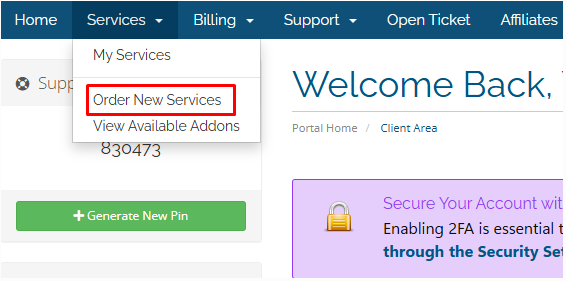
- A list of available plan types will appear.
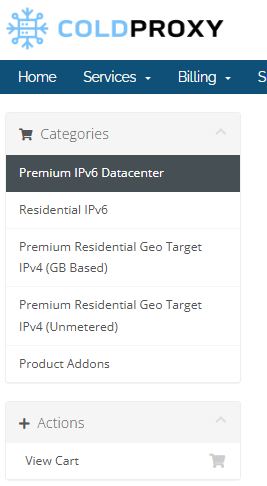
- Choose the type of plan you want and select the duration — 1 Hour , daily, weekly, or monthly.
- If the selected plan includes different speed options, choose the speed that suits your needs.
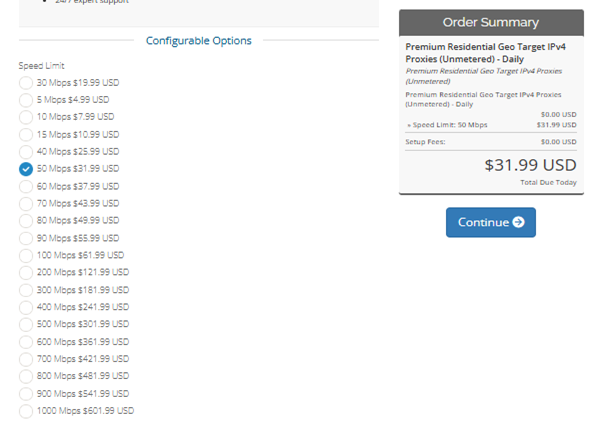
- Review the order summary and click Continue.
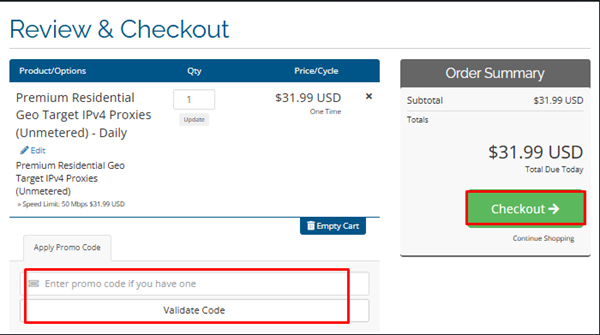
- You’ll be directed to the Review & Checkout page, where you can confirm the plan details and total price.
- If there’s a valid promo code, enter it in the Apply Promo Code box to receive a discount.
- Click Checkout to proceed.
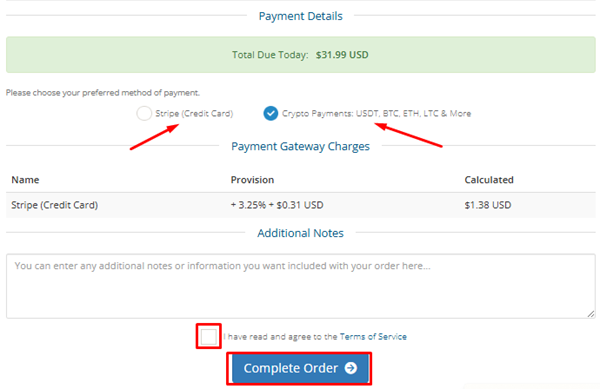
- On the Checkout page, select your payment method, agree to the Terms of Service, and click Complete Order.
Payment Confirmation and Activation
- You’ll be redirected to the invoice page to finalize your payment.
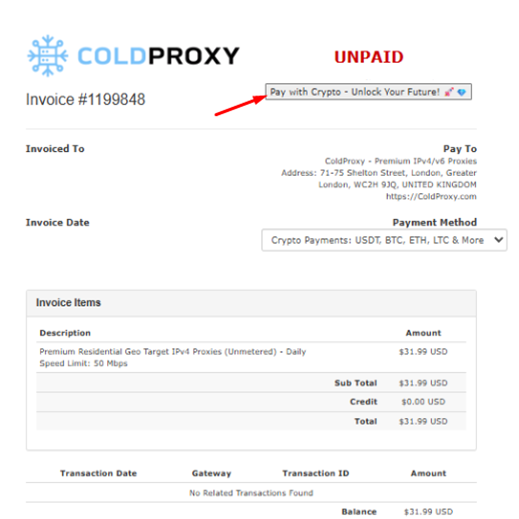
- After the transaction is confirmed, your invoice status will change to Paid, and your service will be activated automatically.
- You’ll also receive an email notification confirming that your payment was successful.
- Once your plan becomes active, you can use either authentication method and then download or copy your proxy list.
- For detailed setup instructions, please refer to the Guide to Proxy Settings available on our website.
