Purchasing Additional GBs for Premium Residential Geo Target IPv4 (GB-Based) Plans
If your GB-based plan runs out, you can easily purchase additional bandwidth directly from your account dashboard using your available account credit.
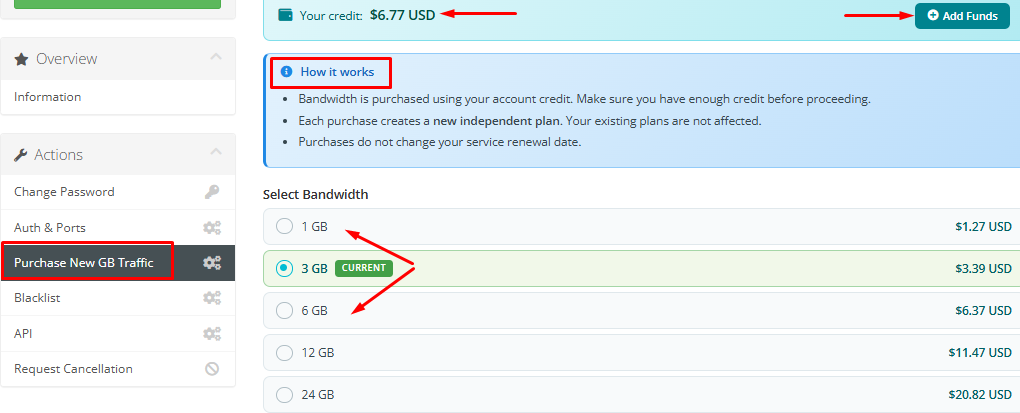
Go to your dashboard and select "Purchase New GB Traffic", then choose the required GB amount and complete the process.
How it works
Purchases are processed using account credit only, so make sure your balance is sufficient before proceeding.
Each purchase creates a separate GB allocation that is added independently to your account, while existing plans remain completely unchanged.
Your service renewal date is not affected, and it will remain exactly the same after adding extra GBs.
All transactions are completed instantly, and no invoice is generated for these purchases.