How to Instantly See the Proxy Region from our Check Tool
We’ve made checking your proxy’s region even easier. Now, when you test your proxies using our Check Tool, the Country, Region, and City of each IP will appear directly in the result.
You can perform the check directly from this link:
Proxy Checker Tool
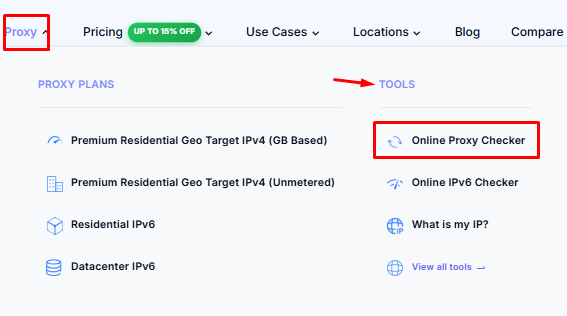
You can also access it from our website under the Tools section:
ColdProxy → Tools
What the Results Show
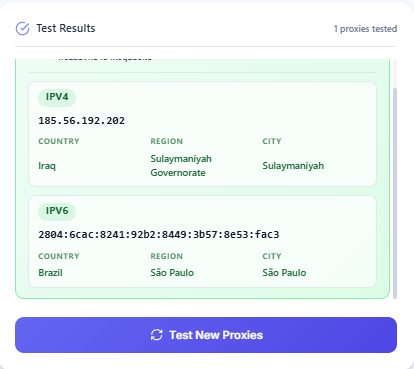
When you test a proxy, the tool shows results like this:
- Exit IP (IPv4 or IPv6)
- Country
- Region
- City
Each proxy can return separate results for IPv4 and IPv6, and each one includes its own Exit IP and location data.
Notes
- If you see multiple countries or cities in the results, this means your proxies are rotating between different exit locations.
- Location (Country, Region, City) is based on the Exit IP shown in the test.
- The tool supports all proxy types with IPv4 and IPv6 support.
Conclusion
This feature allows you to instantly see the real region of each proxy directly from the Exit IP without any manual checking.