
How to Change the Proxy Format to IP:PORT


How to Change the Proxy Format to IP:PORT


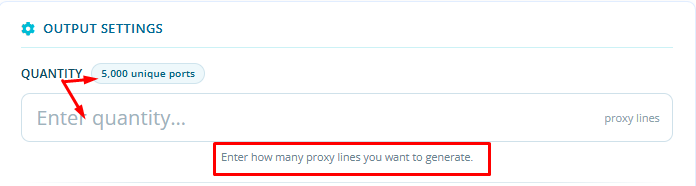
After adding the plan, customers can define the number of proxy lines during the setup process using the Quantity field.

In the Quantity field, enter the number of proxy lines you would like to generate.
Next, under Authentication Method, select IP Authentication.

Once the configuration is completed, the system will generate your proxies in IP:PORT format based on the quantity you specified.

 

  • 1 Korisnici koji smatraju članak korisnim
Je li Vam ovaj odgovor pomogao?

Vezani članci

Proxy Format Options in the New System Plans

You can use proxies in the new system in two formats:- username:password- ip:port or you can also...

Understanding the GB Plan Status in the Premium Residential Geo Target IPv4 (GB Based) Plan

Understanding the GB Plan Status in the Premium Residential Geo Target IPv4 (GB Based) Plan When...

Changing Proxy Password

Changing Proxy Password You can change your proxy password by clicking the Change Password...

View Your Current Usage

To View Your Current Usage: Click the Stats option to display your usage, as shown in the image.

Premium Residential Geo Target IPv4 Proxies Plans

Premium Residential Geo Target IPv4 Proxies Plans If you have Premium Residential Geo Target...